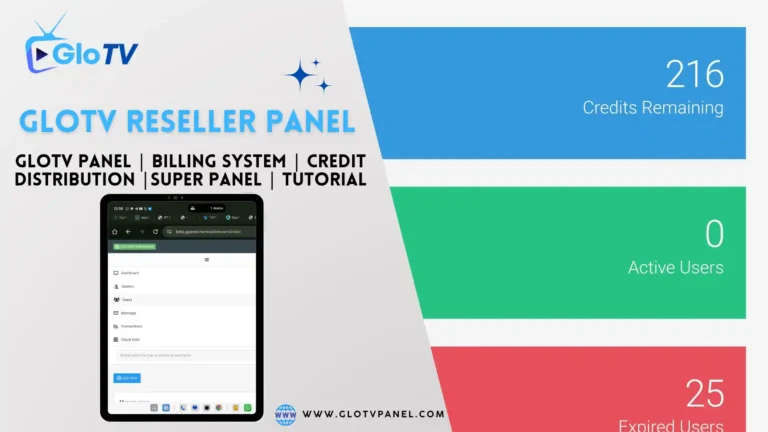
The Glo TV Billing Panel sits at the operational heart of one of the more widely distributed IPTV reseller ecosystems on the market. Hosted at beta.gpanel.me, this credit-based management system gives resellers the tools they need to create accounts, assign subscriptions, register devices, and handle customer access — all from a single dashboard.
This guide walks you through every layer of the panel: how to log in, how to recover credentials, what each reseller tier can do, how the credit system and payments work, and how the platform stacks up against competing systems. It also covers the legal elephant in the room — a $25.5 million copyright infringement lawsuit filed by DISH Network in December 2023.
Read to the end and you’ll have a complete picture of the Glo TV Billing Panel, from sign-up basics to advanced account management.
1. What Is the Glo TV Billing Panel?
Glo TV — also marketed as GloTV, Glo IPTV, and GloTV Network — is an IPTV (Internet Protocol Television) service that delivers live TV channels and on-demand content over the internet. Like most IPTV operations of its size, Glo TV runs on a reseller model. Instead of selling subscriptions directly to every end user, the service distributes access through a layered network of resellers who manage their own customer bases.
The Glo TV Billing Panel is the backend management tool that makes this possible. It’s a credit-based reseller control panel where approved distributors and resellers can:
- Create and manage subscriber accounts
- Register device MAC addresses
- Issue and extend subscriptions
- Generate M3U playlist links
- Track credit balances and allocate access
The panel runs on Stalker/Ministra middleware and reportedly draws from a network of 200+ servers to deliver content globally. It’s a wholesale operations layer — not something end users interact with directly.
⚠️ Important Distinctions
Before going further, a few naming clarifications matter here:
- Glo TV Nigeria refers to services from Globacom, a Nigerian telecommunications company. It has no connection to this IPTV service.
- Glo fitness platform is an unrelated yoga and wellness streaming service.
- The Glo TV IPTV service discussed throughout this post is the reseller-distributed streaming network hosted via beta.gpanel.me.
⚠️ Legal Notice: The DISH Network Lawsuit
In December 2023, DISH Network filed a $25.5 million copyright infringement lawsuit against entities operating the Glo TV IPTV network. The lawsuit alleges that the service distributed protected broadcast content without authorization.
This is not a minor footnote. Anyone operating a reseller business through the Glo TV Billing Panel carries real legal exposure. The lawsuit reflects a broader crackdown by major broadcast rights holders on unauthorized IPTV distribution — and it should factor heavily into any decision to join or continue operating within this ecosystem.
2. Who Uses the Glo TV Billing Panel?
The panel isn’t designed for end viewers. It targets three main user types, each sitting at a different level of a structured hierarchy.
End Users / Subscribers
These are the people watching content on their TV, phone, or streaming device. They don’t log into the Glo TV Billing Panel at all. Their experience is limited to the portal at http://glotv.me and whatever app or device they use to stream.
Resellers
Resellers are the core panel operators. They purchase credits in bulk, create subscriber accounts for their customers, and earn the margin between what they pay per credit and what they charge their clients. The Glo TV Billing Panel log in process is primarily designed for this group.
Distributors and Admin-Tier Resellers
This top tier can create and manage sub-resellers beneath them. They effectively run a wholesale operation — selling credits or panel access to other resellers rather than (or in addition to) serving end users directly. White-label branding options are available at this level.
The Three-Tier Hierarchy at a Glance
| Level | Role | Who They Serve |
| Distributor | Creates sub-resellers, white-label ops | Other resellers |
| Admin/Reseller | Manages end users directly | Subscribers |
| End User | Watches content | N/A |
3. How to Access and Log In to the Glo TV Billing Panel
Current Panel URL
The active Glo TV Billing Panel address is:
The previous URL — billing.glotv.me — was deprecated in March 2024. If you’ve been using that old address, it no longer works. Update your bookmarks to the current domain.
Step-by-Step: Glo TV Billing Panel Log In
Here’s how to access your account:
- Open your browser and navigate to https://beta.gpanel.me/
- Enter your reseller credentials — the username and password provided when your account was created
- Click the login button to authenticate
- You’ll land on your dashboard, where your credit balance, active subscriptions, and account management tools are visible
That’s the complete Glo TV Billing Panel sign in flow. There’s no two-factor authentication at this time, which is worth noting from a security standpoint.
The 403 Forbidden Error
If you visit beta.gpanel.me without credentials — or attempt to access certain panel areas you don’t have permission for — you’ll hit a 403 Forbidden error. This is expected behavior. The panel blocks unauthenticated visitors at the server level, so the error doesn’t indicate a problem with your connection or device.
Browser Compatibility
The Glo TV Billing Panel works across all major browsers:
- Google Chrome
- Mozilla Firefox
- Apple Safari
- Microsoft Edge
- Mobile browsers (Chrome for Android, Safari for iOS)
Chrome tends to deliver the most consistent experience for reseller panel work in general.
4. Recovering Your Glo TV Billing Panel Password
Here’s where the panel shows one of its clearest limitations: there is no self-service password reset portal.
You can’t click “Forgot Password” and get an automated email. If you lose your credentials, your recovery options are:
- Contact support via WhatsApp — the primary recovery channel
- Reach out via Telegram — support is available at t.me/zeeflixnet
- Email admin@glotvpanel.com — slower but available as a fallback
If you’re a reseller who manages end users, you can reset those users’ credentials directly from within the panel. That part is within your control. But your own panel password requires human intervention from the support team.
Compare this to platforms like WHMCS, which offer fully automated credential recovery, password reset emails, and account verification flows. The Glo TV Billing Panel is more manual by design — faster to set up, but more dependent on human support when things go wrong.
5. Understanding Panel Tiers and What Each Level Can Do
The Glo TV Billing Panel operates on a tiered structure where your entry credit purchase determines which features you can access. Higher tiers unlock more powerful tools.
| Tier | Credits Required | Key Features |
| Startup Panel | 50 credits minimum | Core account creation, MAC registration, basic subscription management |
| Pro Panel | 100 credits | Expanded device support, increased daily trial limit |
| Super/Admin Panel | 300 credits | Sub-reseller management, 28-day trial accounts |
| Distribution Panel | 5,000 credits | White-label branding, full reseller hierarchy control |
This structure closely mirrors what you’d find in Xtream Codes and XUI ONE — both well-known IPTV panel systems with similar permission-based hierarchies. The core logic is the same: more investment unlocks more operational power.
For most individual resellers starting out, the Startup or Pro Panel tier handles day-to-day needs. The Admin and Distribution tiers are better suited for operators building a reseller network rather than serving end users directly.
6. Account Management Inside the Glo TV Billing Panel
Once you’re inside the panel, account management is the core daily workflow. Here’s a breakdown of what you can do.
Creating New User Accounts
The Glo TV Billing Panel account creation process follows a straightforward sequence:
- Navigate to the “Add User” or equivalent section in your dashboard
- Enter the subscriber’s details (username, password, and contact info if applicable)
- Select subscription duration: 1, 3, 6, or 12 months
- Choose channel category access (you can customize which categories a user sees)
- Assign device access — MAC address for hardware devices, or generate M3U credentials for app users
- Confirm and save
The subscription length you choose deducts the corresponding number of credits from your balance (1 credit = 1 month of service).
MAC Address Registration for MAG Boxes and STB Emulators
MAG boxes and STB emulator apps use MAC address authentication rather than username/password login. For these devices:
- Locate the device’s MAC address (usually found in the device settings or on the hardware label)
- Enter it in the MAC address field during account creation
- The device authenticates automatically when it connects to the portal URL
The MAC Pull Feature
The MAC Pull function lets you deregister a MAC address from a subscription and reassign it to a different device. This is useful when a customer switches hardware or when you need to transfer a license to a new device without creating a new subscription.
Generating M3U Playlist Links
For users who prefer app-based streaming (Kodi, VLC, TiviMate, etc.), the panel generates M3U playlist URLs. These links contain the stream credentials and channel list, allowing the user to load content directly into their app of choice.
Other Account Actions
- Activate / Deactivate accounts on demand
- Extend existing subscriptions by adding credits
- Delete accounts and reclaim the associated device slot
- Customize channel category access per individual user
7. Credit System and Payments in the Glo TV Billing Panel
How the Credit Model Works
Credits are the currency of the Glo TV reseller ecosystem. The conversion is simple:
1 credit = 1 month of service for 1 user
A 12-month subscription for one customer costs 12 credits. A 3-month subscription costs 3 credits. Your profit margin comes from the spread between what you pay per credit wholesale and what you charge your customers per month.
Credit Pricing
Pricing isn’t fixed at a single rate and varies by purchase volume. Typical ranges reported by resellers:
| Package | Approximate Cost |
| Starter (50–100 credits) | $100–$175 |
| Mid-range (200–300 credits) | $175–$250 |
| Larger packages (300+ credits) | $250–$275+ |
These figures shift based on your distributor relationship and negotiated rate. There’s no public pricing page on the panel itself.
Non-Expiring Credits
One notable feature: Glo TV credits don’t expire. Once you purchase them, they sit in your balance until you use them. You’re not racing against a monthly deadline to deploy all your credits. This is a genuine operational advantage for resellers managing variable customer volumes.
How to Purchase Credits
The Glo TV Billing Panel doesn’t have an automated checkout system built into the main panel. Credit purchases happen through direct communication:
- WhatsApp (Pakistan-based and Canada-based support numbers)
- Telegram (t.me/zeeflixnet)
- Email (admin@glotvpanel.com)
You contact your distributor or the support team, agree on a package, make payment through accepted methods, and credits are manually added to your account.
Payment Methods
Accepted payment methods are handled off-platform and typically include:
- Cryptocurrency (commonly Bitcoin, USDT)
- Bank transfer or wire
- Other methods negotiated directly with your distributor
Credit card payments through an automated gateway are not available on the main panel. This is a notable gap compared to systems like WHMCS, which support 80+ payment gateway integrations.
Sub-Reseller Profit Margin Configuration
Admin-tier and Distribution-tier resellers can configure profit margins for sub-resellers — setting the credit cost at which sub-resellers purchase from you, while you bought at a lower rate from your own distributor. This layered margin structure is what makes the distribution tier financially attractive for wholesale operators.
Refund and Cancellation Policy
No standardized refund policy exists at the platform level. Refund terms depend on your individual distributor relationship. Credits are generally non-refundable once purchased, and activated subscriptions are similarly considered final. Confirm the terms with your specific distributor before committing to a large credit purchase.
8. Free Trial Accounts: How They Work in the Panel
Free trials are a key conversion tool in any subscription business and the Glo TV Billing Panel builds them in at the reseller level.
48-Hour Free Trials (Startup & Pro Tiers)
Resellers at the Startup and Pro panel tiers can generate 48-hour free trial accounts. The daily limit sits at approximately 20 trials per day. These are short windows — enough for a potential customer to verify that their device works and that the stream quality meets their expectations.
28-Day Extended Free Trials (Admin Tier)
The Admin panel tier unlocks a significantly more powerful tool: 28-day free trial accounts. This is a major conversion advantage. A month-long trial gives hesitant buyers time to integrate the service into their routine and makes the transition to a paid subscription feel lower-risk.
Admin-tier resellers use this feature to compete more aggressively for customers who might otherwise try a different IPTV provider.
Best Practices for Trial-to-Paid Conversion
- Follow up with trial users around day 3–5 while enthusiasm is highest
- Have a clear subscription offer ready when the trial ends
- Use the 28-day window (if available) for higher-value prospects who need more time
- Track trial accounts in the panel to know exactly when each one expires
9. Supported Devices and End-User Setup
The Glo TV Billing Panel supports a wide range of devices, which makes it relatively easy to onboard customers regardless of what hardware they already own.
Full Device Compatibility List
| Category | Devices |
| Hardware Boxes | MAG boxes, Formuler, Enigma2 |
| Smart TVs | Samsung Smart TV, LG Smart TV, Android TV |
| Streaming Sticks | Amazon Fire Stick, Chromecast |
| Mobile | Android phones/tablets, iPhone, iPad |
| Over-the-Top Boxes | Apple TV, Roku |
| Software Players | KODI, VLC, TiviMate, IPTV Smarters |
End-User Portal URL
End users don’t interact with the Glo TV Billing Panel directly. Their access point is:
Portal URL: http://glotv.me
This is the address they enter into their MAG box or STB emulator’s portal settings. App-based users load their M3U link or Xtream Codes credentials directly into their player app.
Device Setup: MAC-Based vs. Credentials-Based
- MAC-based devices (MAG boxes, STB emulators): Register the MAC address in the panel, enter the portal URL on the device — done.
- App-based devices (Fire Stick, Android, iOS, KODI): The reseller generates M3U or Xtream Codes credentials from the panel. The user enters those into their app.
10. Customer Support Channels and Response Times
Support for the Glo TV ecosystem operates on a decentralized model — meaning your primary support contact is usually your direct distributor rather than a centralized helpdesk.
Primary Support Channels
| Channel | Contact |
| Pakistan-based and Canada-based numbers (provided by your distributor) | |
| Telegram | t.me/zeeflixnet |
| admin@glotvpanel.com |
24/7 Availability — The Reality
The Glo TV Billing Panel advertises 24/7 support availability. Real-world experience from resellers suggests response times vary widely. During peak hours and business hours in relevant time zones, responses tend to be faster. Off-hours queries — particularly via email — may take several hours.
WhatsApp and Telegram generally deliver faster turnaround than email. For urgent issues (a reseller panel login failure, a bulk account outage), WhatsApp is the fastest route.
How This Compares to WHMCS
WHMCS-based platforms use structured ticketing systems with logged response times, escalation tiers, and automated status updates. The Glo TV model is chat-first and relationship-driven. For some resellers, the direct channel is actually faster and more personal. For others — especially those running larger operations who need documented support trails — the informal structure feels inadequate.
11. How the Glo TV Billing Panel Compares to Competing Systems
Xtream Codes
Xtream Codes was once the dominant IPTV panel solution before its operators faced legal action in 2019. Many IPTV services that grew up in that era, including Glo TV, adopted similar panel structures and permission models. The Glo TV Billing Panel borrows the credit-per-subscription logic and tiered reseller hierarchy directly from that lineage. The key difference: Xtream Codes was a third-party software platform, while the Glo TV panel is proprietary to the service.
XUI ONE
XUI ONE represents a more modern professional-tier panel option. It offers advanced analytics, better security logging, and cleaner UI design than most legacy IPTV panels. Compared to XUI ONE, the Glo TV Billing Panel is simpler and cheaper to access — but it lacks features like real-time stream monitoring dashboards and detailed reseller analytics.
WHMCS Integration
WHMCS is the gold standard for subscription business management. It supports automated billing, 80+ payment gateway integrations, a self-service client portal, automated credential delivery, and support ticket management. The Glo TV Billing Panel offers none of these automated capabilities natively. For resellers managing large customer bases, this gap creates meaningful operational friction.
Where the Glo TV Billing Panel Wins
- Low entry cost — 50 credits to start is accessible for new resellers
- No monthly platform fees — you pay for credits, not for panel access itself
- Non-expiring credits — no pressure to deploy inventory on a deadline
- Simplicity — fast to learn, minimal setup required
Where It Falls Short
- No two-factor authentication — a real security gap for any reseller managing customer data
- No automated payments — every credit purchase requires manual communication
- Limited security logging — no detailed audit trail of account actions
- No self-service password recovery — credential loss requires human support intervention
- Manual support model — no ticketing system or formal escalation path
12. Frequently Asked Questions About the Glo TV Billing Panel
What is the current URL for the Glo TV Billing Panel?
The active address is https://beta.gpanel.me/. The old billing.glotv.me address was deprecated in March 2024.
How many credits are needed to start?
The Startup Panel tier requires a minimum of 50 credits. The Pro Panel starts at 100 credits, the Admin Panel at 300 credits, and the Distribution Panel at 5,000 credits.
Do Glo TV credits expire?
No. Credits have lifetime validity and don’t expire. You can purchase in bulk and deploy over time without losing your balance.
How do I reset my panel password?
No automated reset tool exists. Contact support via WhatsApp, Telegram (t.me/zeeflixnet), or email (admin@glotvpanel.com) to recover your credentials.
What payment methods are accepted?
Payments are handled off-platform through direct communication with your distributor. Cryptocurrency and bank transfer are the most common methods. No automated card payment gateway is built into the panel.
Can I create free trial accounts?
Yes. Startup and Pro tier resellers can generate 48-hour free trials (up to ~20 per day). Admin tier resellers can offer 28-day extended trials.
What’s the difference between a reseller and a sub-reseller?
A reseller creates and manages end-user accounts. A sub-reseller is created by an Admin or Distribution tier operator and effectively acts as a reseller beneath them in the hierarchy. The tier above sets the sub-reseller’s credit cost and controls their access level.
Are subscriptions refundable?
No standard refund policy exists at the platform level. Most distributors treat credits and activated subscriptions as final. Confirm terms with your specific distributor before purchasing.
What is the Glo TV Billing Panel app?
There’s no dedicated mobile app for the Glo TV Billing Panel. The panel is fully browser-based and functions on mobile via Chrome for Android or Safari for iOS. The panel URL (beta.gpanel.me) works across all major mobile browsers.
13. Conclusion
The Glo TV Billing Panel is a functional, low-barrier entry point into IPTV reselling. The credit system is straightforward. Non-expiring credits reduce pressure. The tiered hierarchy scales from a solo reseller to a full distribution operation. The Glo TV Billing Panel sign in process is simple and the learning curve for basic account management is short.
But the limitations are real. No automated payments. No self-service credential recovery. No two-factor authentication. A manual, chat-based support structure that works well enough at small scale but starts to crack under operational volume. And — most significantly — an active $25.5 million copyright infringement lawsuit from DISH Network that any prospective operator needs to take seriously before committing to this ecosystem.
The Glo TV Billing Panel log in experience, the Glo TV reseller structure, and the credit-based Glo TV Billing Panel activation model all work as advertised. Whether the underlying business makes sense for you depends on your risk tolerance, your scale, and how you weigh the platform’s genuine operational simplicity against its legal and technical gaps.
Use this guide as your reference when navigating the panel — and consult appropriate legal counsel before building a commercial operation on any IPTV reseller platform currently facing active litigation.