Glo TV is a MAC-based IPTV service designed primarily for MAG boxes, Smart STB, STB emulator applications and other devices that support portal activation. It combines international live television, video-on-demand content and features such as an electronic programme guide, catch-up and favourites.
This review explains what GloTV IPTV offers, which devices can use it, how its subscription works and what to check during the free trial.
Important clarification: This article covers the MAC-based Glo TV IPTV service available through GloTVPanel.com. It is not about the GLO-TV mobile application operated by Nigerian telecommunications company Globacom.
Glo TV IPTV at a Glance
| Feature | Glo TV information |
|---|---|
| Service type | MAC-based IPTV |
| Activation method | Device MAC address and portal |
| Main content regions | USA, Canada, UK, India and other international markets |
| Streaming quality | SD, HD, Full HD and selected 4K streams |
| Main features | Live TV, VOD, EPG, catch-up and favourites |
| Trial | Up to 48 hours |
| Simultaneous viewing | Normally one active stream per subscription |
| Reseller access | Available through credit-based reseller panels |
| Primary support | WhatsApp, Telegram and email |
Features and channel availability can change. Confirm current compatibility, subscription terms and regional content before purchasing.
What Is Glo TV IPTV?
Glo TV IPTV delivers live television and on-demand content through an internet connection instead of a cable or satellite line. The service is commonly used with devices and applications that authenticate through a MAC address.
A MAC address is a device identifier used to connect a compatible player or box to the Glo TV portal. The provider registers that address when activating the subscription. Once the portal has been entered into the supported application, the device can load the available live channels, movies, series and programme guide.
This system differs from services that provide an M3U playlist or an Xtream Codes username and password. People using GloTV should confirm that their device or application supports MAC-based portal activation before ordering.
Glo TV Channels and Regional Coverage
Glo TV is aimed at viewers who want international content within one service. Its listed coverage includes television categories from the USA, Canada, UK, India and other regions.
The available library is generally divided into the following sections:
- Live entertainment channels
- Sports coverage
- News and current affairs
- Movies and television series
- Children’s programming
- Documentary and educational content
- Indian and South Asian entertainment
- International and regional channels
- Video-on-demand movies and series
Channel availability is not permanent. Individual channels can be added, removed, renamed or temporarily unavailable because IPTV lists and broadcasting sources change over time.
For that reason, users should request a current channel list or test the service before relying on one specific sports network, regional station or language category.
Live Sports on Glo TV
Sports are an important part of the Glo TV channel library. Depending on the current lineup and region, viewers may find football, cricket, basketball, combat sports, motorsport and event coverage.
A service should not be judged only by the number of sports channels it lists. Performance during a live event matters more. High-demand matches and pay-per-view events place greater pressure on streaming infrastructure than normal television viewing.
During the trial, test:
- A live event during peak viewing hours
- Channel-loading time
- Picture and audio synchronisation
- Whether the electronic programme guide is accurate
- Whether a lower-quality backup stream is available
- Playback after changing between several channels
No IPTV provider can guarantee that every stream will remain buffer-free on every internet connection. Device performance, Wi-Fi quality, internet routing, server load and the source stream can all affect playback.
Movies, Series and Video on Demand
Glo TV includes a video-on-demand library containing movies, television programmes and series from several regions. VOD allows viewers to select a title and start it directly rather than waiting for a scheduled broadcast.
The usefulness of a VOD library depends on more than its advertised size. Users should check:
- Whether recently added titles play correctly
- Audio-language options
- Subtitle availability
- Episode order for television series
- Search and category organisation
- Whether posters and programme information load properly
- Playback quality on the intended device
Library counts can change when content is added, reorganised or removed. A dated, working-content check is more reliable than a permanent headline claiming a fixed number of titles.
Glo TV Features
Electronic Programme Guide
The electronic programme guide, commonly called an EPG, displays programme names and schedules for supported live channels. Its accuracy can vary by channel and region.
Catch-Up Television
Catch-up allows viewers to open selected programmes after their original broadcast. It is not necessarily available on every channel.
Favourites
Compatible applications allow users to save frequently watched channels in a favourites list, reducing the need to search through the complete channel library.
Search and Categories
Channels and VOD titles are normally arranged by country, language or content type. The exact navigation depends on the device and application being used.
Recording
Some compatible devices and applications support recording. Recording availability depends on the application, device storage and the restrictions applied to a particular stream.
Devices and Applications Compatible with Glo TV
Glo TV works best on devices and applications that support MAC-address or Stalker portal activation.
Common options include:
MAG Boxes
MAG set-top boxes are designed for portal-based television services. The user enters the portal address in the device settings after the MAC address has been activated.
Android Devices and TV Boxes
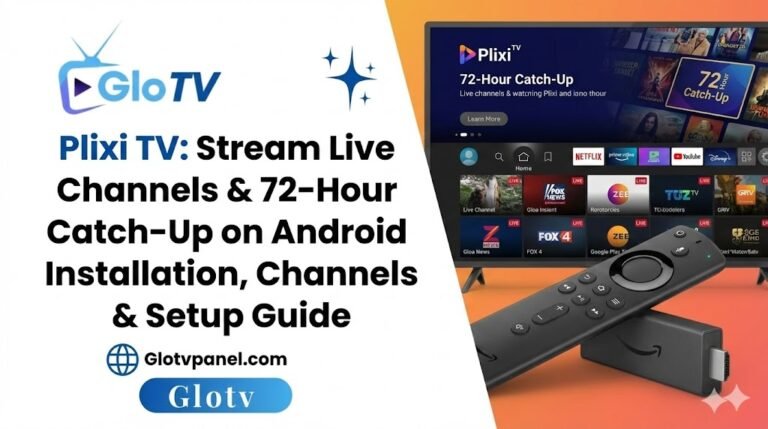
Android phones, tablets, television boxes and Android TV devices can use compatible applications such as STB Emu or other portal-based players.
Amazon Fire TV Stick
Fire TV devices can use compatible applications installed through the Amazon Appstore or an approved installation method. Confirm that the application supports MAC activation before purchasing a subscription.
Smart TVs
Samsung, LG and other smart televisions may require a compatible application such as Smart STB. Application availability and licensing depend on the television’s operating system and country.
Apple Devices
Applications such as iSTB and IPTVX may support portal-based services on selected Apple devices. Compatibility should be checked directly in the application before activation.
Formuler and Similar Media Devices
Devices using MyTVOnline or another supported portal player may be compatible. The correct device identifier and portal format must be supplied during setup.
You can review the current application information on the Glo TV app page.
How Glo TV Activation Works
The normal activation process is:
- Choose a subscription duration or request a trial.
- Find the MAC address shown by the compatible device or application.
- Send that MAC address to the service provider.
- Receive or confirm the current Glo TV portal address.
- Enter the portal into the application or device settings.
- Restart the application and allow the channel list and EPG to load.
Do not send a Wi-Fi router MAC address unless the provider specifically requests it. Use the address displayed inside the IPTV application or the relevant device portal settings.
Glo TV Free Trial
A trial of up to 48 hours is available for checking compatibility and performance before purchasing a longer subscription.
Use the trial on the same device, application and internet connection you plan to use after purchasing. A test performed on a phone using mobile data will not show how the service behaves on a Smart TV connected through home Wi-Fi.
Check the following during the trial:
- Your preferred regional channel categories
- Live sports during busy hours
- VOD playback
- EPG accuracy
- Catch-up availability
- Audio and subtitle options
- Channel-loading speed
- Application stability
- Support response time
A successful trial does not guarantee that every channel will always remain available, but it can identify device incompatibility and obvious connection problems before payment.
Glo TV Subscription Limitations
GloTV has several limitations that buyers should understand.
MAC Binding
The subscription is linked to a registered MAC address. Changing the device or application may require support to update or transfer the registered address.
One Active Stream
A subscription can generally be configured on more than one compatible device, but only one stream should be used at a time unless a multiple-connection plan has been confirmed.
Variable Channel Availability
Individual channels and VOD titles can change. Request a current test if one particular region or channel category is essential.
Not Every Stream Is 4K
Glo TV includes multiple quality levels. A 4K-compatible device does not make every available channel a genuine 4K stream.
Application Costs May Be Separate
Some third-party IPTV applications require their own one-time or recurring licence. That application fee is separate from the Glo TV subscription.
Internet Quality Still Matters
An unstable Wi-Fi connection can cause buffering even if the original stream is working correctly. Ethernet or 5GHz Wi-Fi is preferable for HD and 4K viewing.
Glo TV Subscription vs Reseller Panel
An individual Glo TV subscription is intended for personal viewing. It activates one customer account or device for a selected period.
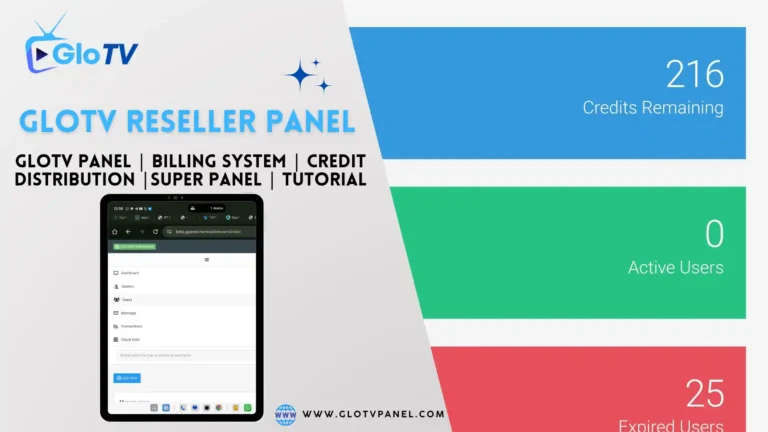
A Glo TV reseller panel is a management account used to create and extend subscriptions for customers. Resellers purchase credits and use them to activate accounts.
The reseller system may include:
- Customer account creation
- MAC-address activation
- Subscription extension
- Free-trial generation
- MAC transfer or pull options
- Sub-reseller management on eligible tiers
- Custom DNS options on eligible packages
Reseller plans start from a minimum credit purchase. Features and credit requirements differ by panel level, so review the current Glo TV reseller panel options before ordering.
Strengths of Glo TV IPTV
- Designed for MAC-based devices and portal applications
- International coverage across several major regions
- Live television and VOD within one service
- EPG and catch-up on supported channels
- Trial available before a longer subscription
- Reseller and higher-level panel options
- Support for common MAG and STB-emulator setups
Main Limitations
- MAC activation is less flexible than a standard username and password
- One active stream is normally allowed per subscription
- Channel and VOD availability can change
- Some applications require a separate licence
- Not every channel supports catch-up, EPG or 4K
- Performance depends partly on the user’s internet connection and device
- Public subscription and panel pricing may not always be displayed
Frequently Asked Questions
Is Glo TV free?
Glo TV is a paid subscription service. A limited free trial may be available so users can test compatibility, channels and playback before purchasing.
What devices work with Glo TV?
Compatible options include MAG boxes, Android devices using STB Emu, Smart TVs using portal-based applications, selected Apple applications and supported Formuler devices. Compatibility depends on the specific player.
Can I use Glo TV on two devices?
The service may be configured on different compatible devices, but a standard subscription normally permits one active stream at a time. Confirm the connection limit before ordering.
Does Glo TV provide an app?
Glo TV can be used through its supported STB application and several third-party portal players. Always obtain the current application or downloader information from a trusted support contact.
Does Glo TV work in the USA, Canada and UK?
The service lists content for the USA, Canada, UK, India and other international regions. The exact channel lineup should be checked through a trial because availability can change.
What is the GloTV portal?
The portal is the server address entered into a compatible device or application. It connects the registered MAC address to the Glo TV service. Obtain the current portal directly from support rather than copying an unverified address from another website.
What internet speed is needed?
The required speed depends on stream quality. A stable connection matters more than the advertised maximum speed. Ethernet or 5GHz Wi-Fi is recommended for higher-resolution streams.
Is Glo TV IPTV Worth Considering?
Glo TV is most suitable for viewers who already use a MAG box, Formuler device, Smart STB or STB emulator and want international live television with VOD and programme-guide features.
Its main advantage is the combination of broad regional coverage and MAC-based device support. Its main limitation is reduced flexibility: a subscription is tied to a registered MAC address, and only one active stream is normally permitted.
Request a trial and test the exact channels, device and internet connection you intend to use. That gives you more useful information than channel totals or general claims about streaming quality.
For current subscription availability, device assistance or reseller access, contact the GloTVPanel team.
Content licensing and regional availability have not been independently verified in this review. Users should confirm that any subscription and channel package they use complies with the laws and content-rights requirements in their country.